Introduction to Claude Skills
Tiny folders of instructions, scripts, and resources that Claude loads only when it needs them — so repeat work stays consistent without ballooning the context window.
How to create a skill
Start with the two-minute walkthrough, then pick the option that matches how you like to work.
Ask Claude to make one
Claude ships with a built-in skill creator. Open a chat and describe the skill you want — Claude drafts the SKILL.md, shows it to you, and offers to add it to your skills with one click.
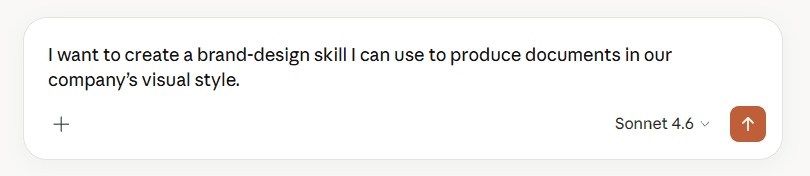
No folders, no ZIPs — just a conversation. Best for your first few skills or when you’re still shaping the idea.
Should you build one?
Pick the situation that sounds most like yours.
Tap a situation to see the call.
Anatomy of a custom skill
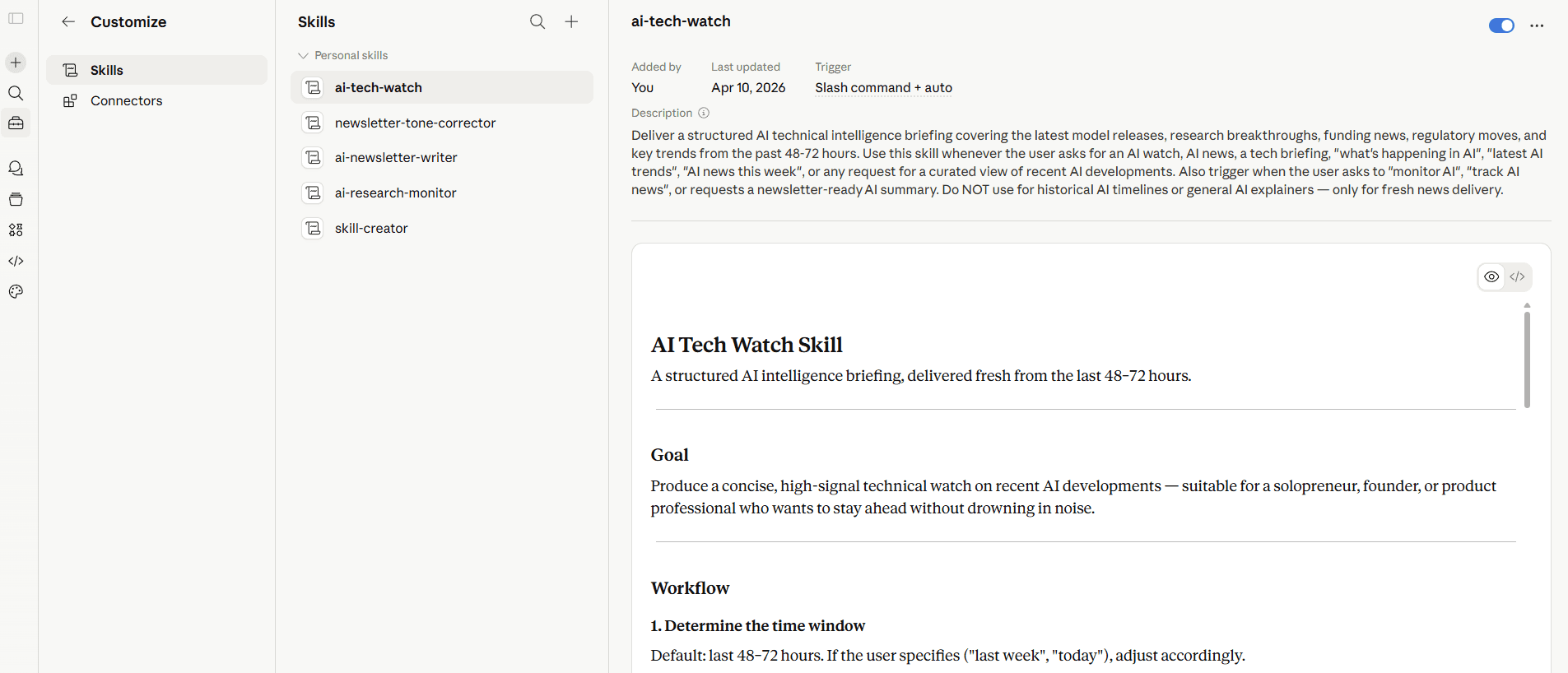
A skill is just a folder. Here’s a real-world example — an internal-comms skill with a routing file and four templates.
name + description: the two that matter most
Every SKILL.md opens with a tiny frontmatter block. name is how the skill shows up in listings and slash menus. description is the matching criteria — Claude reads it to decide whether your request should activate this skill. Write it like a trigger sentence, not a tagline.
Use the two tabs below to switch between the minimum setup (just a SKILL.md) and a full example with references, assets, and scripts — then click any file to peek inside.
SKILL.md
Frontmatter on top (name + description), routing instructions underneath — pointers to the reference files so the skill knows which markdown to read for each context, e.g. references/3p-updates.md.
---
name: internal-comms
description: A set of resources to help me write all kinds of internal communications, using the formats that my company likes to use. Claude should use this skill whenever asked to write some sort of internal communications (status reports, leadership updates, 3P updates, company newsletters, FAQs, incident reports, project updates, etc.).
license: Complete terms in LICENSE.txt
---

## When to use this skill
To write internal communications, use this skill for:
- 3P updates (Progress, Plans, Problems)
- Company newsletters
- FAQ responses
- Status reports
- Leadership updates
- Project updates
- Incident reports

## How to use this skill

To write any internal communication:

1. **Identify the communication type** from the request
2. **Load the appropriate guideline file** from the `references/` directory:
    - `references/3p-updates.md` - For Progress/Plans/Problems team updates
    - `references/company-newsletter.md` - For company-wide newsletters
    - `references/faq-answers.md` - For answering frequently asked questions
    - `references/general-comms.md` - For anything else that doesn't explicitly match one of the above
3. **Follow the specific instructions** in that file for formatting, tone, and content gathering

If the communication type doesn't match any existing guideline, ask for clarification or more context about the desired format.

## Keywords
3P updates, company newsletter, company comms, weekly update, faqs, common questions, updates, internal comms.How to call a skill
Two ways in: a slash command, or plain language. Flip between them to see what Claude does behind the scenes.
Can you turn these Q2 numbers into the usual weekly update?
Claude scans every available skill’s description and looks for a semantic match. “Usual weekly update” lines up with a skill described as turns pipeline CSVs into our standard weekly report, so that one activates.
Progressive disclosure: only each skill’s name and description are loaded at the start of a chat. The full SKILL.md is read only when Claude decides to activate it — that’s why the description has to trigger cleanly.
The small print
- 64character limit on a skill's name
- 200character limit on the description (what triggers loading)
- 4first-party skills — docx, pdf, pptx, xlsx
- 1skill, one job — focused skills beat multipurpose ones
If two skills could handle the same request, the company-level skill wins over a personal one of the same name. Avoid surprise overrides by keeping your custom skills specific — frontend-review or backend-review will never collide with review, and descriptions that spell out the exact trigger keep everyone out of each other’s way.
Bonus — what even is a markdown file?
SKILL.md files are just markdown — a plain-text format where a few tiny markers turn into formatting. Toggle below to see the same file as raw code and as a rendered document.
Weekly report
A quick note on where we are and what’s next.
What shipped
- New onboarding flow — live since Tuesday
- Two bugs in billing — fixed
What we learned
Shipping early gave us real feedback within 48 hours. More of that, please.
See the full notes in the doc.
Same file, two faces. You write plain text with a few tiny markers — Claude (and every modern editor) reads both views.
#Heading##Subheading**bold**bold*italic*italic- item• a bullet[text](url)a link> quotea blockquote`code`inline code
Sources
Ready to try one?
Open Claude, describe a task you do weekly, and ask it to turn that into a skill. You’ll have your first SKILL.md before you finish your coffee.